Author: Dr. Jennifer Horner, Global Product Marketing Manager, Evident Scientific
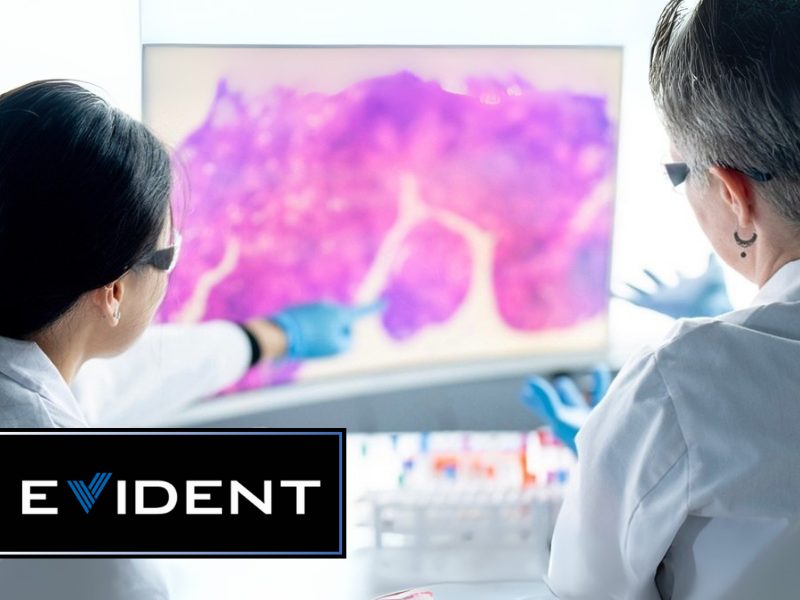
Enabling extremely accurate and dynamically responsive sample analysis—and instantaneous data sharing and peer-to-peer consultation—digital pathology has firmly established itself at the forefront of modern diagnostic medicine. Today, when we talk about adopting digital pathology—and eventually embracing a completely digital clinical workflow—it’s not a question of “if” but of “when” for healthcare providers and learning institutions.
According to Dr. Monika Vyas, Director of Digital Pathology at Beth Israel Deaconess Medical Center, a teaching hospital of Harvard Medical School in Boston, digital pathology is a journey that all institutions, pathologists, and labs will likely undertake at some point in the near future. But it’s a journey that looks very different for each organization.
Outlined here, a common digital pathology roadmap can be used as a helpful set of guidelines by healthcare professionals looking to implement a digital clinical workflow—but each roadmap will inevitably present unique goals and needs. Every stage in digital pathology adoption and implementation—from strategic planning, stakeholder engagement, and technology selection to equipment integration and user training—presents its own set of challenges and expectations.
A Journey, Not a Simple Flip of the Switch
An essential technology that supports research, diagnosis, and education as well as the development of new drugs and approaches to care, digital pathology becomes a reality through a transition that is rarely linear—and doesn’t happen overnight. But with the right roadmap, the journey can be a successful one.
“For some people, digital pathology can be a straight road,” Dr. Vyas said. “For others, it can be very winding and full of unexpected challenges.”
Changes in leadership, shifting institutional goals, budget adjustments, and complex integration needs are just a few of the variables that may come into play during the digital pathology adoption process, each of which requires your team to stay flexible and adaptive. To minimize the impact of each of these—and create solid, achievable goals—the first step in our 9-step digital pathology roadmap is the establishment of a solid strategic plan.
1) Strategic Planning: The Foundation Behind the Solution
“The first very important thing to do before even embarking on the digital pathology process is to establish a targeted strategic plan,” said Dr. Vyas. “Everything goes into planning. You first have to define your goals and your use cases, and then engage your leadership and key stakeholders. Strategic planning should also include the establishment of your ideal success metrics and ROI.”
Defining these goals, engaging these stakeholders, and aligning the vision of your pathology teams and your institutional leadership is critical. If the expectations of all key decision-makers are not aligned, the success of your digital pathology transition becomes difficult to define, let alone achieve.
“First and foremost, establish your success metrics,” Dr. Vyas continued.
“Ask, what does your leadership want you to achieve with the implementation of digital pathology? If their answer is different from yours, then you need to reassess your goals and work toward an established plan that will allow you to achieve a common vision of success. This is very important.”
Creating a working group of committed digital pathology advocates—who will work closely together during every step in the roadmap—is a great idea at this point. This group can include pathologists, histotechs, biotechs, AP managers, admin staff, leadership, and IT personnel. Each of these individuals will bring their own set of valuable insights to every step in the planning and implementation process.
2) Workflow and Clinical Assessment: Where You Stand to Do Better
What are the areas in your current workflow that stand to be enhanced with the use of digital pathology? As your next step, take time to reassess your clinical workflow and think about specific inefficiencies that could be addressed with digital pathology—these are great points to make in your digital pathology proposal.
As part of this step, first carefully map out your current pathology workflow. Then, identify your inefficiencies—for example, slide volumes and turnaround times—and determine how they can be rectified with new digital pathology systems. A detailed assessment will further strengthen your case for digital pathology adoption.
“When assessing your areas of focus and further defining your goals, ask yourself, what exactly are you trying to solve for your institution?,” said Dr. Vyas. “Is your main concern lab space, or are you more focused on solving staffing challenges or workflow inefficiencies? Once you have your primary areas of concern defined, you can then move to your next step—choosing the digital pathology technologies that best address these issues.”
As part of this assessment phase, take time to analyze each of the following:
- Lab space: Do you currently have enough workspace? Do you have space to expand your services and add new equipment?
- Staffing: Are you having difficulty hiring and retaining skilled staff, and are you equipped to hire new staff if needed?
- Workflow: Are you experiencing inefficiencies with your current processes?
- Turnaround times: Are slow test results affecting care or performance?
- Case volume: Are caseloads rising too fast, and could AI help?
- Diagnostics: What are your second-opinion needs, and could AI interpretation assist?
3) The Tech Behind the Transition: Choosing the Right Tools
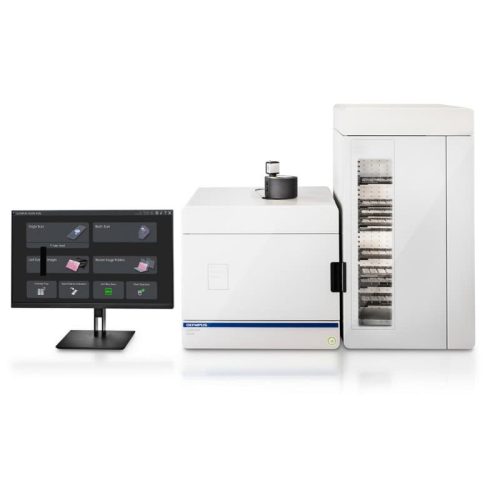
Based on what your use cases tell you and what your staff are trying to achieve, evaluate and choose the slide scanners, viewing technologies, and management platforms that will best meet your goals. At this stage, it is also best to plan for scalable storage.
Before you begin specifying equipment, make sure you know exactly who will be using it, and what their needs will entail. It’s also good to determine the mindset of your staff in relation to digital pathology.
“Many people believe that younger pathologists will be more adaptive to digital pathology, and older ones may not,” said Dr. Vyas. “But I have found that not to be the case at our institution. In fact, we found that many of our senior staff were the ones pushing more for digital workflows.”
Other aspects to consider when choosing equipment systems include whether you are planning to implement AI; whether you have adequate computational support, and if so what files and formats will work best for you; and the number of physical sites you will be working with, and what kind of users will be working at each site.
When choosing digital pathology technologies, you are going to encounter a large number of choices. And while these technologies have advanced significantly in recent years, there may be differences between them that can have an impact on your organization.
“Today, when it comes to choosing scanners or image management platforms, I feel like it’s not about comparing apples and oranges anymore,” said Dr. Vyas. “Rather, it’s more like comparing apples to apples because almost all of them are really good now as the technology has matured so much in recent years.”
So what can you do to make sure you are picking the right scanners, IMS, and other equipment? While this topic can be explored in much greater detail, the following are important parameters to consider:
- Large lab volume: If you’re working in a large academic lab or high-volume private practice setting, then you will need multiple high-throughput scanners
- Small lab volume: If you’re working in a very specialized small lab (e.g., a renal pathology setting), then you need more task-specific scanners
- Sample type: Determine whether you want to start with just digitizing routine histology samples, or whether you aim to digitize all sample types, such as cytology, fluorescence, or large sample formats
- Staffing: Consider all of your automation, compatibility, time use, file format, slide export, data sharing and storage, and QA needs based on current and future staffing requirements
- Storage: Determine how much scalability, accessibility, and latency you require, and what tiers of hot, warm, cold, and deep storage you need
- Research collaborators: Equipment will need to be chosen that can support the file formats and techniques used by any and all collaborators
- Frozen section and/or rapid onsite evaluation (ROSE) scanning: Not all scanning systems will support these applications, so you will need to seek out specialized scanners
Before making any purchasing decisions, it’s a good idea to make a checklist that outlines the needs and wants of all involved parties. From there, as you start demoing different brands and models of equipment, take a lot of pictures and detailed notes on what is working for you and what isn’t—hands-on experience is priceless. Engage with vendors, and ask questions about establishing a mutually beneficial partnership.
4) System Integration: Ensure Compatibility from Day One
When building the right digital pathology system for your organization, you need to consider how all of your various system components talk with each other and integrate with your LIS and EMR, how you will ensure seamless interoperability, and how you will most effectively tackle barcode issues.
Another major aspect of seamless system integration is making sure you have the right IMS platform in place. As with other equipment, it is best to make a list of your priority IMS features and then work with various vendors to see who can best fulfill the vision that works for you.
User-friendliness, interoperability, and multi-scanner compatibility are now baseline expectations when it comes to IMS—the more specific needs of your team are what matter most when it comes to choosing an IMS platform.
“For us, we started with a list of the top features our pathologists needed in an IMS platform, and then filtered out the systems that did not meet these objectives,” said Dr. Vyas. “Once we narrowed our list to the systems that offered the features we needed, it became more about the vendor. Who would be the easiest to work with? Who would be able to take our feedback moving forward and adjust our system as needed? Who has the most experience with LIS and EMR integration?”
The ability to test-drive your IMS platform is also key—most vendors will provide you with access to a testing environment so multiple members of your team can explore all features and workflows prior to investment. Areas of importance include dashboard and image viewing customization, report generation, remote collaboration, slide sharing, and research/file integration.
5) AI & Analytics: Planning for Today and Tomorrow
If you are planning to use AI, you will need to determine your most effective AI tools for initial use, assess your infrastructure for AI implementation, and make a plan for internal validation.
If you know your chosen AI tools, do you know how they will work in your IMS platform? Do you know how you are going to implement new AI that will undoubtedly be available by the time you have implemented your first technologies? Within this very rapidly evolving landscape, you should be thinking 4 steps ahead of where you are currently.
6) Compliance and Security: Cover Every Base as Early as Possible
Take careful measures to ensure that all system components and proposed infrastructure are compliant with HIPAA/GDPR and your institutional cybersecurity guidelines—make your IT stakeholders part of your journey as early as possible. Set effective data retentions policies and make sure that you have effective disaster recovery and backup plans in place.
Work with your IT personnel every step of the way on data backup, HIPAA compliance and encryption, and interoperability—every aspect of your system, including safe, secure storage, must work well with all of your scanners as well as your selected IMS platform.
7) Training & Onboarding: Prepare for Cultural Shifts
Training pathologists and lab staff on new equipment and techniques—and identifying skeptics—as early as you can in the process will help you later develop effective SOPs and ongoing onboarding tactics. You may find that you need to employ the use of change management teams to ensure that all team members are on board and prepared for a dramatic shift in the ways they practice pathology. Effective and open feedback loops are very important as part of this effort.
8) Pilot Launch: Start Small and Learn from the Experience
At this point, all technologies, workflows, and security measures are in place, and all personnel are prepared to begin using a new pathology system. This is a great opportunity to conduct a pilot launch, which can include implementing digital pathology on a few select services in one department. This will allow you to collect performance data and feedback in a controlled environment, then refine your tools and workflow before fully implementing your new system as a whole.
9) Full-Scale Implementation: You’re Up and Running
When the time is right, you are ready for a full-scale implementation of your new digital pathology workflow system. This will include a rollout to all involved departments, any and all adjustments to your infrastructure, and ongoing training and support for clinical staff members.
Keep in mind that once your new system has been fully implemented, it is still a work in progress—as you move forward into the world of digital pathology, you will need to continually monitor your progress and results, improve on what you have achieved, and stay up to date with technologies and efficiency tools, especially in the realm of AI
Charting Your Own Path
Digital pathology has reached a tipping point—millions of slides are being digitized every day by healthcare systems, research facilities, and educational institutions around the world. And while the roadmap presented here is a good overall view of the digital pathology implementation process, there is no universal digital pathology playbook or a “one size fits all” situation. The needs of an academic pathologist, for example, are very different from those of a large-scale healthcare network, which in turn differ dramatically from a private pathology practice. Every situation will come with its own setting, use case scenarios, staffing situations, and pathology applications—all of which will determine the right approach for that organization.
Successful digital pathology transformation, however, will always depend on planning strategically, engaging on a broad scale, and being willing to constantly adapt.
“Digital pathology is evolving every day,” Dr. Vyas concluded, “And we are lucky to be embracing it at such an exciting time. With so many exceptional choices in technology, it may seem overwhelming to embark on the digital transformation journey, but I do think that by following some common steps, and keeping certain things in mind, institutions of any size can be successful in their transformation, and in the years following. With that said, every institution must also tailor its own path based on its people, its problems, and its priorities.”
More than a technological upgrade, digital pathology represents a fundamental shift in how pathology is practiced, taught, and delivered. The journey to full digital pathology adaptation requires continuous transformation, open collaboration, and ongoing exploration of technologies that are advancing by the day. Institutions that harness its full potential are those that invest in thoughtful planning, partner with the right technology experts, and view digital pathology not as a destination, but as a dynamic platform for growth.

Evident thanks Dr. Monika Vyas, Director of Digital Pathology at Beth Israel Deaconess Medical Center, for her time and contribution.
Share this article





Follow us
Get Pathology News Delivered to Your Inbox